Join the beta

Opaius Updates

Product notes, written with care.

A clear record of what we are shipping across Louro and the systems behind it. No noise, no oversized hero, just the work.

The new front door: a cinematic login and a guest experience that feels like the real thing

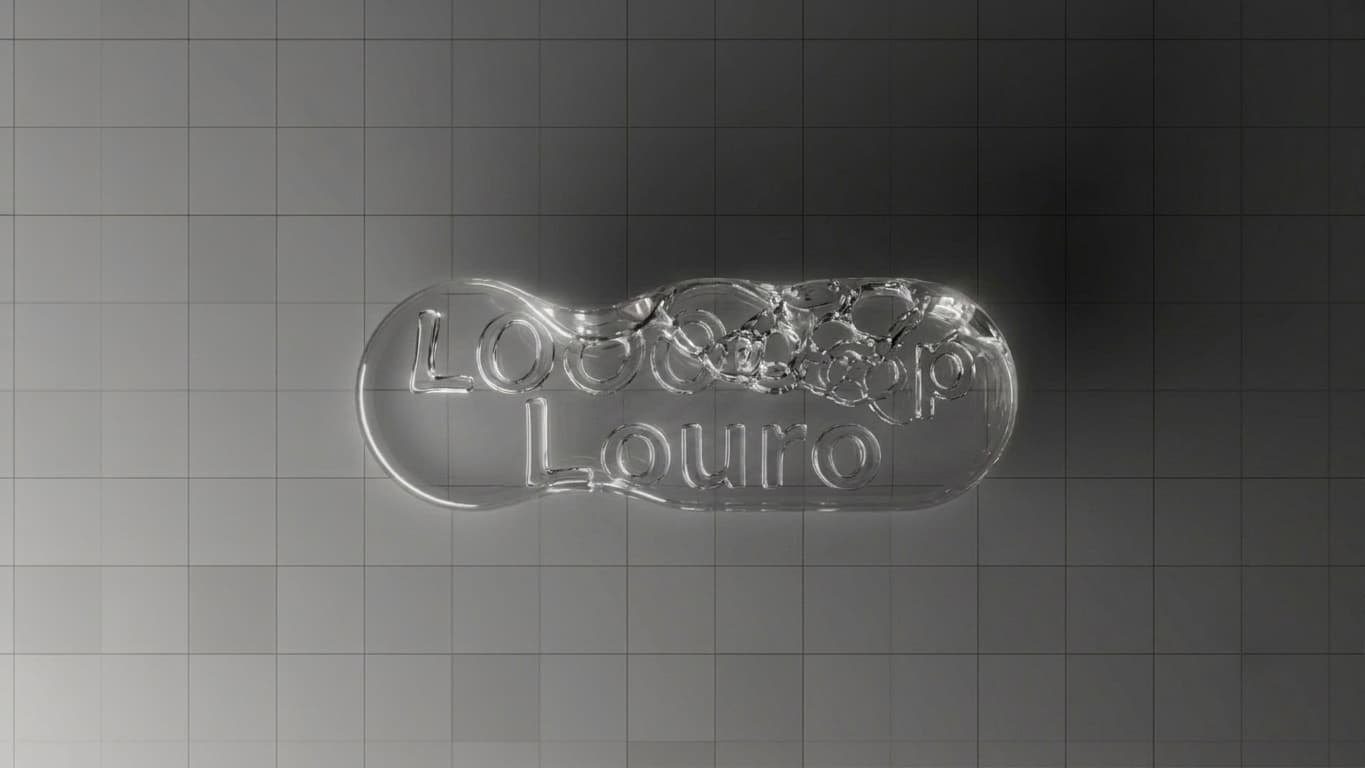
Louro's first impression got a complete rebuild. The login page is back to the looping car film — now with a cleaner Louro logo and a little show: Opie's eyes bounce in with a haptic thump and introduce the app one liquid-glass speech bubble at a time, his eyes changing mood as he talks — calm blinks for hello, his orange-and-violet aura drifting behind his eyes when he talks about remembering your cars, and his green scanning sweep with the ASCII field when he mentions recalls and warnings. Tap a bubble and it pops. Sign in with Google joined Apple and your Louro account. Guest Mode grew into a full product experience: the chat composer is now identical to the signed-in one (attachments, dictation with the listening band, talk-to-Opie), guests get real tools — the OBD-II scanner, sound diagnosis, and NHTSA recall lookups, three uses of each per day — plus three attachments total, with a clean account pitch when any limit lands. Opie's replies now type themselves out instead of appearing from nowhere, his greetings rotate on the guest landing with the Refresh vibe button, and every diagnostic tool now plays his completion chime.

  • iOSNew login page: the car film returns with a cleaner Louro logo and a looping Opie show — his eyes bounce in with haptics and introduce the app in tappable, poppable liquid-glass bubbles.
  • iOSOpie's eyes now have moods: idle blinks, a drifting orange-violet aura while he talks memory, and a green scanning sweep over an ASCII field for recalls and warnings.
  • iOSSign in with Google (official logo) joins Apple and Louro account sign-in.
  • iOSGuest Mode tools: run real OBD-II scans, sound diagnoses, and NHTSA recall checks — three of each per day — plus three photo/file attachments, no account needed.
  • iOSThe guest composer is now identical to the signed-in Opie page: liquid glass, attachments, dictation with the listening band, and the talk-to-Opie button.
  • iOSOpie's replies type themselves out instead of popping in, and his rotating greetings (with Refresh vibe) welcome guests.
  • iOSEvery diagnostic now plays Opie's completion chime — sound diagnosis, damage assessment, and OpieCam included.
Technical Notes

iOS-only release on top of 1.5.4's guest endpoints. LoginView hosts a phase-looping LouroOpieShow (logo → Opie show → logo) with per-line eye moods; OpieEyesMark gained idle/thinking/scanning styles switched live via task(id:). Guest chat reached 1:1 composer parity by reusing OpieSpeechDraftRecorder and OpieCameraPicker, with persisted daily tool limits and a shared attachment pool in GuestSession.

  • iOS Auth/LoginView.swift — LouroOpieShow: logo act (new LouroLogoWhite asset) alternates with Opie act on a forever loop; bubbles are ultraThinMaterial glass with spring insertion, haptics (medium on arrival, soft per bubble, rigid on tap-to-pop), and a per-line mood map (idle / thinking / thinking / scanning / idle). Google button uses the official brand-path G rendered to a transparent PNG; provider GoogleOAuth was already allowlisted in the native auth start route.
  • iOS Core/OpieEyesView.swift — OpieEyesMark styles: idle (random blinks), thinking (steady-glow orange/violet blobs crossing behind the eyes — movement, not pulsing/fading — with occasional blinks), scanning (raster drift + pastel-green scan line masked to the eye shapes + OpieAsciiField backdrop). task(id: style) cancels and resets cleanly on mood changes.
  • iOS Guest composer parity — plus button opens GuestAddToChatSheet (camera/photos/files tiles sharing a persisted 3-attachment pool; deeper reasoning and web search shown locked); mic dictation via the shared OpieSpeechDraftRecorder with the OpieListeningField band; right button swaps send/waveform like the signed-in page.
  • iOS Guest tools — three-dots menu with live remaining counts: DTCScanSheet (uses counted only on completed scans), SoundDiagnosisPanel (new onAnalysisComplete hook), and a new GuestRecallLookupView hitting NHTSA's public recallsByVehicle API; day-stamped 3/day limits in GuestSession with dedicated upsell sheets.
  • iOS Guest chrome — liquid-glass banner capsule and composer (no flat bars), the signed-in disclaimer capsule, nav title 'Louro' for guests, account page now presents the cinematic LoginView full screen with an X to return; appearance picker (with icons) lives in the tools menu.
  • iOS Core/OpieTypewriterText.swift (new) — chunked, time-capped (~1.1s) reveal for Opie's newest reply in guest chat; signed-in chat eases new bubbles in with withAnimation on the message-array swap.
  • iOS completion chime — OpieSoundPlayer.playCompletionIfEnabled() added to sound-diagnosis results, damage-assessment results, OpieCam scan review, and guest replies.
Talk to Opie before signing up — plus a friendlier, livelier app

The biggest change yet to first impressions: opening Louro now drops you straight into a conversation with Opie — no login wall, no onboarding slides. Guest Mode lets anyone ask automotive questions, decode OBD-II codes, and diagnose sounds immediately, with one session conversation and a quiet banner explaining that signing in saves your progress. When a guest creates their free account, their conversation comes with them — Opie remembers everything. We also fixed the dead-end screens long-inactive users hit (the app now routes cleanly to sign-in with a friendly note), made pre-written prompts send instantly, kept your message visible when a send fails, fixed a billing mixup that blocked some personal Opie chats, retired the ASCII loading animation in favor of Opie's sleepy eyes everywhere, and replaced the red recording blob with a living particle field in Opie's colors that reacts to what it hears.

  • iOSGuest Mode: open the app and talk to Opie immediately — no account needed. Ask car questions, decode OBD-II codes, and diagnose sounds.
  • iOSCreate your free account mid-conversation and Opie keeps the whole chat — it migrates into your account with nothing lost.
  • iOSGentle conversion moments instead of nags: a quiet Guest Mode banner, a welcome card after your first exchange, and reminders only as you approach the guest message limit.
  • iOSEvery loading state now shows Opie's sleepy eyes instead of the ASCII animation.
  • iOSRecording now shows a living particle band in Opie's orange and violet that swells with the sound — in Diagnose a Sound and while dictating to Opie.
  • iOSFixed: long-inactive users no longer get stranded on dead 'Session expired' tabs — the app routes to a clean sign-in screen with your data intact.
  • iOSFixed: tapping a pre-written prompt now sends it instantly, and your message stays visible if a send fails.
  • WebFixed: personal Opie chats are never blocked by workspace billing — '402: Workspace requires Loop Lite, Shop, or Floor' is gone for personal use.
Technical Notes

Guest Mode spans both repos: a stateless anonymous chat endpoint and an authed conversation-import endpoint on the web, and a full guest experience on iOS (GuestSession store, GuestOpieChatView, sign-in-time migration). Session handling was hardened end to end: the native refresh endpoint now separates invalid tokens (401) from transient failures (503), and the iOS client signs out cleanly only on a definitively dead session.

  • Web app/api/opie/guest-chat (new, public via middleware matcher) — anonymous Opie chat: client-held transcript (max 50 entries, 4000 chars/message), compact garage persona + DTC quick-reference injection, gemini-2.5-flash via runModel; GUEST_LIMIT 403 past the cap.
  • Web app/api/conversations/import (new, native-bearer authed) — creates a personal Opie thread via ensurePersonalOrgId + insertPersonalOpieThread and inserts the guest transcript verbatim with staggered created_at; returns the conversation id.
  • iOS Features/Guest/GuestSession.swift (new) — in-memory transcript (dies with the session by design), persisted lifetime send count with 10/20/25 thresholds, migrate(into:) called from AppState.signInWithWorkOS BEFORE user is set so the signed-in app loads with the migrated thread first.
  • iOS Features/Guest/GuestOpieChatView.swift (new) — guest chat with greeting (OpieEyesMark .greeting bounce + double blink), starter chips that auto-send, persistent guest banner, conversion cards (welcome / soft / strong / hard limit), plus-menu with Diagnose a Sound unlocked and Add-vehicle/Save/Export locked behind upsell sheets, breathing composer gradient; AuthGateView routes signed-out users here instead of LoginView.
  • iOS Core/AppState.swift — SessionRefreshOutcome (refreshed / invalidToken / transientFailure): transient failures never touch the session; a 401 from refresh with an expired access token signs out with a friendly message. Web auth/native/refresh distinguishes invalid grants (401 INVALID_REFRESH_TOKEN) from transient errors (503).
  • iOS Core/OpieEyesView.swift (new) — SwiftUI OpieEyes port: OpieEyesMark (sleepy + greeting choreographies) and OpieEyesLoader, a drop-in replacing OpieAsciiLoader at all 18 call sites.
  • iOS Core/OpieAmbience.swift — OpieListeningField: Canvas/TimelineView particle band (orange core → violet fringes, additive) driven by live mic RMS (OpieSpeechDraftRecorder now publishes a smoothed level from its audio tap); replaces the red recording circles in SoundDiagnosisPanel and rides above the composer while dictating.
  • iOS OpieHomeView — quick-action chips call sendMessageText directly; failed sends keep the optimistic user bubble and append the error instead of deleting the user's message.
  • Web conversations/[id]/send — personal-scope chats falling into SUBSCRIPTION_REQUIRED/TRIAL_EXPIRED from the org gateway now fall back to the personal AI path; loop-scope chats keep full billing enforcement.

Profile picture upgrades, calmer pages, and fairer levels

Profile pictures got a full overhaul on iPhone. When you change your photo you can now pinch and drag to size and position it before saving, uploads are much faster, and the new photo shows up everywhere immediately — no more closing the app to see it. Photos across the app stop flashing the grey placeholder before loading, and profiles without a photo trade the heavy orange wash for a soft pastel gradient in Opie's colors over clean grey — on the big profile banner and the small avatar circles alike. Your profile page is tidier too: the pencil now holds everything (photo, identity, garage, and the calling-card sticker customizer) with a Settings gear right next to it. The Opie, Stats, and Garage tabs no longer load once and then visibly reload a moment later. The activity feed names everyone by their real @handle with their actual photo. And leveling is fairer: reaching Level 2 takes real activity now, and everyone who finished setup has their First Gear sticker.

  • iOSSize and align your profile picture: pick a photo, then pinch to zoom and drag to position it inside the circle before saving.
  • iOSProfile picture changes show up everywhere instantly — tab bar, calling card, feeds — no more restarting the app.
  • iOSPhoto uploads are much faster, and photos no longer flash the generic placeholder before appearing.
  • iOSProfiles without a photo now show a soft pastel wash of Opie's orange and violet over clean grey — no more bright orange banner — and the small avatar circles match.
  • iOSCleaner profile page: the pencil opens everything (photo, identity, garage, and the calling-card sticker customizer), with a Settings gear right beside it.
  • iOSFixed: the Opie, Stats, and Garage pages no longer load and then visibly reload again right after you open them.
  • The activity feed now shows everyone's real @handle and profile photo on every entry.
  • Leveling is fairer: Level 2 now takes real activity instead of arriving on day one (early levels were rebalanced).
  • Everyone who completed their Loop setup now has the First Gear sticker — and it's granted automatically from every onboarding path going forward.
Technical Notes

iOS image-pipeline release plus social/leveling server work. New LoopImageCache (NSCache + disk URLCache) with a CachedAsyncImage drop-in replacing AsyncImage app-wide kills the placeholder flash and stale-avatar-until-restart bug; EditProfileView gains an AvatarCropView (pinch/zoom/pan, renders a 1024px square JPEG) so uploads are small and fast, and AppState.applyUploadedAvatar pushes the new URL through the whole app immediately. Web: timeline entity events are enriched at read time with user_profiles (username-first naming + avatars), the early xpHelper level curve was rebalanced (L2 300→1000), and First Gear is granted from all three onboarding-completion paths with a Supabase backfill for the 15 users who predated the grant.

  • iOS Core/LoopImageCache.swift (new) — NSCache of decoded UIImages + dedicated URLSession with a 256MB disk URLCache; CachedAsyncImage renders synchronously on cache hits (no .empty flash) and replaced AsyncImage in LoopUserAvatar, Dashboard activity rows, Garage Circle, Stats leaderboards, FollowListView, ProfilePassportView, EditProfileView, and both calling-card photo loaders.
  • iOS Social/AvatarCropView.swift (new) — circular crop viewport with MagnificationGesture zoom (1–5x) and clamped drag pan; renders the exact on-screen crop into a 1024×1024 JPEG via UIGraphicsImageRenderer (draw(in:) honors EXIF orientation).
  • iOS Social/EditProfileView.swift — picking a photo opens the cropper full-screen; save uploads the pre-compressed crop as-is (no full-res multi-MB uploads), then AppState.applyUploadedAvatar(urlString:) updates user.avatarURL + cached session and the new image is seeded into LoopImageCache, so the tab icon and every surface update without a restart. New 'Calling Card Stickers' row opens the sticker editor from inside the edit flow.
  • iOS Social/CallingCardProfileView.swift — own-profile top bar is now pencil + gearshape (Settings); the face.smiling button moved into EditProfileView. Photo-less banners use Color.loopElevated overlaid with the new pastel LinearGradient.opieBannerWash (orange #FFB873 0.30 → violet #A78BFA 0.24 → clear, diagonal) and grey initials; loadBanner now goes through LoopImageCache and refetches when the avatar URL changes.
  • iOS double-load fixes — StatsView.initialLoad guards on store.stats == nil (its .task re-fires on every tab re-selection); OpieHomeView .task work runs once behind a didInitialLoad flag; GarageView.loadVehicles gained a re-entrancy guard (onAppear can fire twice → two concurrent loads re-assigned vehicles after first paint) plus a hasLoadedOnce flag so empty-garage users stop seeing the loader on every visit.
  • Web lib/server/timelineActorProfiles.ts (new) + timeline routes — entity_events enriched at read time with a batched user_profiles fetch (id, display_name, username, avatar_url); actor names normalize to @username, stale baked-name title prefixes are rewritten; ActivityFeedItem renders the attached avatar. Synthesized garage events carry the same profile shape.
  • Web lib/xpHelper.ts — early thresholds rebalanced: L2 300→1000, L3 700→2200, up to L7 10000 (levels 7+ unchanged; max level still 155). Beta Pioneer's 250 signup XP no longer lands new users one daily login away from Level 2.
  • Web First Gear — new grantFirstGearToProfile() in achievementService called from the iOS onboarding route AND both web completion paths (lib/server/onboarding.ts completeOnboarding, onboarding/actions.ts saveOnboardingProgress step==='complete'); Supabase backfill granted the achievement + 40 XP to all 15 onboarded users missing it. XP audit: every user's XP now reconciles exactly against earned achievements (+150 vin_verified for one user) — no resets needed.

Tappable dashboard, real safety pages, and sharper profile photos

The iPhone dashboard is now fully interactive. The four Your Stats tiles — services, rides, miles, and streak — are garage numbers, so tapping any of them takes you straight into My Garage (your profile-level progression still lives behind View Full Stats). The Safety card got the same treatment and then some: NHTSA Campaigns and Pending Reminders now show live counts and open brand-new detail pages — open recall campaigns for every vehicle in your garage straight from NHTSA, and your service reminders grouped by pending and done. On the web side we fixed the bug making uploaded profile pictures look blurry: the app was favoring the tiny photo from your Google sign-in over the full-quality picture you uploaded.

  • iOSThe four Your Stats tiles on the Dashboard are now tappable — services, rides, miles, and streak are garage numbers, so they take you straight to My Garage.
  • iOSThe Safety card's NHTSA Campaigns and Pending Reminders tiles now show live counts and open full detail pages.
  • iOSNew NHTSA Campaigns page: every vehicle in your garage is checked against NHTSA's recall database, with campaign numbers, affected components, summaries, and the manufacturer's remedy.
  • iOSNew Reminders page: your service reminders grouped into pending and done, each showing the vehicle, due date, mileage, and notes.
  • WebFixed: uploaded profile pictures no longer look blurry — the app was showing the low-resolution photo from your Google sign-in instead of the full-quality picture you uploaded.
Technical Notes

iOS dashboard interactivity release plus a one-line web avatar-priority fix. The four statTiles in DashboardView wrap in Buttons that switch the TabView to .garage; the Safety card tiles become NavigationLinks into two new views backed by three new LoopAPI calls. iOS hits NHTSA's public recalls API directly (api.nhtsa.gov) since /api/recalls/nhtsa isn't on the native-bearer allowlist. Web: getUserProfile() now prefers the DB avatar_url (1024px sharp-generated variant) over the ~96px WorkOS OAuth profilePictureUrl, matching /api/auth/me.

  • iOS Dashboard/DashboardView.swift — statTiles wrapped in Button { onSelectTab(.garage) }; safetyCard tiles became NavigationLinks to VehicleSafetyRecallsView / VehicleRemindersView with live counts from a new fire-and-forget DashboardStore.loadSafety(user:) (async let safety-summary + reminders, off the critical dashboard path).
  • iOS Core/LoopAPI.swift — fetchSafetySummary (GET /api/garage/safety-summary), fetchReminders (GET /api/garage/reminders), and fetchNHTSARecalls hitting https://api.nhtsa.gov/recalls/recallsByVehicle directly (public, no auth); new SafetySummary, VehicleReminder, and NHTSARecall (PascalCase) models.
  • iOS Garage/VehicleSafetyViews.swift (new) — VehicleSafetyRecallsView fans out per-vehicle NHTSA lookups with withTaskGroup (per-vehicle failure tolerant) and groups campaigns under each vehicle; VehicleRemindersView fetches reminders + vehicles in parallel and renders PENDING/DONE sections; bare Postgres dates (yyyy-MM-dd) get a dedicated DateFormatter fallback since loopParseAPIDate only handles full ISO8601.
  • Web apps/frontend/lib/api/profile.ts — getUserProfile() avatar priority flipped to DB-first: dbProfile.avatar_url (in-app uploads land there as 1024px WebP derivatives) wins over targetWorkOSUser.profilePictureUrl (~96px from Google OAuth), which is now only a fallback for users who never uploaded. This was why every Google-sign-in user saw a blurry avatar on their own profile.
  • iOS Loop.xcodeproj — built product renamed Loop.app → Louro.app (PRODUCT_NAME = Louro); build number 3 → 4.

Louro polish — login, splash, and fixes

A round of polish on the Louro rollout. The iPhone login and splash screens are fully rebranded — a clean white Louro mark over the car video and a centered splash with proper light and dark variants — and the app now shows as "Louro" in the system sign-in prompt. We also stopped the app from auto-jumping into the dream-car finder after sign-in, locked the Settings page to vertical scrolling, made everyone's profile photo show up across the app, and granted early beta members their Beta Pioneer sticker.

  • iOSRebranded login screen: a white Louro mark over the car video, a thinner wordmark, and better contrast in both light and dark — no more mascot art on sign-in.
  • iOSNew centered Louro splash screen with proper light and dark variants.
  • iOSThe app now shows as "Louro" in the system sign-in prompt (it was still saying "Loop").
  • iOSFixed: the app no longer auto-opens the dream-car finder a few seconds after you sign in.
  • iOSFixed: the Settings page could be dragged sideways — it's locked to vertical scrolling now.
  • Profile photos now show for everyone — on profiles, follower and following lists, stats, and community.
  • Early iOS beta members now have their Beta Pioneer sticker.

Say hello to Louro

Loop is now Louro. Same app, same Opie — your assistant keeps his name and face — just a clearer, unified brand for everything Opaius is building. Alongside the rename we fixed a batch of social bugs: follower and following lists now show people's real @handles instead of "@user", profile pictures load everywhere (not just in your own session), and following someone sends a "new follower" notification again. On iPhone the home-screen app is now "Louro" with a fresh icon — and if you miss Opie's face, you can switch back anytime under Settings → App Icon.

Say hello to Louro
  • iOSThe home-screen app is now "Louro" with a new icon. Prefer Opie's face? Switch icons anytime under Settings → App Icon.
  • Rebranded from Loop / Opie to Louro across the product. Opie is still your assistant — only the product name changed.
  • WebFollower and following lists now show people's real @handles instead of "@user".
  • Profile pictures now load everywhere — follower lists and other people's profiles, not just your own session.
  • Following someone triggers a "new follower" notification again (it was being skipped when you followed from the iPhone app).

iPhone polish — tappable profiles, calmer chat, and dark-mode fixes

A round of iPhone refinements on top of the 1.4 launch. People are now tappable everywhere they appear — open anyone's profile straight from the Stats leaderboards or the Dashboard activity feed — and a profile's avatar now travels with its garage header so you always know whose card you're reading. New Opie chats no longer clutter your Workbench: a thread is only saved once you actually send a message. Notifications recover from an expired session on their own instead of erroring, and a batch of dark-mode and contrast issues across the tab bar and Opie's menus are fixed.

  • iOSTap any builder, shop, or activity entry to open their profile — the Stats community leaderboards and the Dashboard activity feed are now links straight to a person's calling card.
  • iOSA profile's avatar now rides along its garage header, so as you scroll a calling card you always know whose garage you're looking at.
  • iOSStarting a new Opie chat no longer creates an empty thread in your Workbench — the chat is saved only once you send your first message.
  • iOSNotifications now recover from an expired session automatically instead of showing 'session expired,' with a clearer Done button and a green mark-all-read control.
  • iOSDark-mode fixes: Opie's tools, model picker, and new-chat menus now show their icons correctly, and the selected tab bar icon is legible again.
  • WebFixed iPhone notifications failing with a 'session expired' error — the notifications API now accepts the app's native sign-in, so your alerts load and clear correctly.
  • WebPricing refresh: basic OBD-II code scans and on-device sound and damage checks are now free on every plan, Opie usage moved to clear daily limits, and Garage adds a live OBD-II dashboard with synced scan history — while keeping unlimited vehicles and Loops.
Technical Notes

iOS-only polish/fix release on loop-ios. Stats LeaderboardRow and Dashboard ActivityItem now expose a profile lookup key and push CallingCardLoaderView; ActivityItem decodes the actor's profile id/handle from the timeline join. New-chat threads are created lazily on first send instead of eagerly. Notifications retry once with a forced token refresh on 401. Several SwiftUI menus get an explicit adaptive tint so SF Symbol glyphs stop inheriting the global black app tint in dark mode.

  • iOS Stats/StatsView.swift + Dashboard/DashboardView.swift — leaderboard rows (type user/org) and activity rows wrap in NavigationLink → CallingCardLoaderView; LeaderboardRow.profileLookupKey and ActivityItem.actorLookupKey added in Core/LoopAPI.swift (timeline user_profiles join now decodes id + username).
  • iOS Social/CallingCardProfileView.swift — garage section header gains the profile owner's avatar (avatarURL with initials fallback).
  • iOS Opie/OpieHomeView.swift — startNewChat() resets to an empty composing state without createPersonalThread; sendMessageText() creates the thread on first message; loadInitialSession() no longer materializes an empty thread; canSend allows a nil conversation.
  • iOS Dashboard/DashboardView.swift — DashboardNotificationsView.load() catches LoopAPIError.unauthorized and retries once via appState.userForAPI(forceRefresh: true); toolbar Done uses Color.loopText, mark-all-read uses checkmark.circle.fill tinted Color.loopGreen.
  • iOS TabRootView.swift — selected tab icon is white on the dark selection pill; OpieHomeView tools/model and threads-picker menus apply .tint(opieMenuForeground) so glyphs follow dark/light mode.
  • Web apps/frontend/middleware.ts — isNativeBearerApiRequest allowlist adds /api/notifications (covers list, [id]/read, read-all, delete-all). The route's getUserId() already resolved the native bearer, so the 401 was purely the middleware blocking the path before the handler ran; this fixes iOS notifications returning 'session expired'.
  • Web pricing copy rework — PricingCards.tsx, PricingPageContent.tsx, lib/marketing/plans.ts: free OBD-II + on-device checks across all tiers; Opie quotas changed to per-day (Free 10 / Garage 25 / Lite 50 / Shop 100 / Floor 500); Garage adds a live OBD-II dashboard + synced scan history while keeping unlimited vehicles and Loops; comparison table gains on-device and live-dashboard rows; free-trial copy clarified.

Loop for iPhone — Opie in your pocket, plus on-device sound diagnostics

Loop now has a native iPhone app: an Opie-first automotive companion that puts conversation, your garage, and quick actions one tap away. Opie's chat got a full redesign with editable messages, regenerate history, and tap-back reactions; field crews can clock in and out (with geofencing), see who's on the clock, and pull up today's tasks; and a brand-new on-device feature lets you record a car sound and have Opie tell you what it might be — no internet required. On the platform side, the backend now securely powers the mobile app across time, garage, tasks, social, and support, and owners can see who's currently clocked in.

  • iOSLoop for iPhone launches — an Opie-first companion with a five-tab layout (Dashboard, Garage, Opie, Stats, Profile) and Opie always centered.
  • iOSDiagnose a Sound: record your car and an on-device AI model classifies the noise — brakes, oil, ignition, battery, power steering, or serpentine belt — completely offline, no data leaves your phone.
  • iOSOpie chat redesign: clear left/right message distinction with avatars, edit your own messages, step through regenerated versions, double-tap a reply for a thumbs-up or thumbs-down, and long-press for copy, share, mark, and regenerate.
  • iOSTime clock for crews: clock in and out, breaks, lunch, and meetings, with optional geofenced clock-in and a live weekly hours recap.
  • iOSOwners can draw approved work locations on a map and require staff to be on-site to clock in.
  • iOSFreight Mode: owner-operators and small fleets get a calm operational overview — active loads with routes and ETAs, drivers on duty, and fleet status. Tap a load to see details, advance its status, or assign a driver; tap a unit for compliance dates and documents (insurance, registration, DOT) you can open — or snap a photo to upload a new one.
  • iOSProof of delivery in the field: marking a load delivered now runs a quick pre-dropoff checklist (consignee, count, condition, paperwork) with an inline signature pad — the POD is saved to the assigned truck, no paper and no laptop needed.
  • iOSAdd a load from your phone: owners and admins can create a manual load — route, dates, equipment, rate, and driver/truck/trailer assignment — without opening the web dispatch board.
  • iOSCheck off today's tasks with a tap, right from the Today panel — completions sync back to your workspace.
  • iOSOpie opens your garage circle with a value-first read — who's been active this week and what they worked on — instead of an endless feed. Stats adds a weekly diagnostics streak and scans-this-month, and your Profile passport shows a recent-activity timeline.
  • iOSSwitch the Dashboard to Workspace mode and Opie becomes your dispatch assistant — ask about a driver, a load number, or a truck and it answers from your live fleet snapshot instead of guessing.
  • iOSPush notifications groundwork: enable notifications and the app registers your device with the platform, so Opie and your team can reach you — taps open straight to the right screen.
  • iOSClock-in Live Activity: once you're on the clock, your shift timer rides along on the Lock Screen and in the Dynamic Island, switching to a break/lunch/meeting state as you go — glanceable without opening the app.
  • iOSMission Control feedback: flag an unhelpful Opie reply or a failed action straight to the team from anywhere in the app.
  • iOSGarage Circle and Stats: a calm social snapshot of what people you follow have been building, plus an Apple-Fitness-style recap of your garage.
  • iOSPolished first run: a looping login video, an appearance-aware splash, fixed dictation, and a refreshed liquid-glass tab bar.
  • WebThe platform now securely powers the iPhone app across time, garage, tasks, freight, social timeline, settings, and support using native sign-in tokens.
  • WebOwners and admins can see who is currently clocked in, and the fleet's active loads are now available to the mobile app.
Technical Notes

iOS: new SwiftUI app (Loop) bridging opaius-platform via native WorkOS bearer auth — Opie chat (edit/version/reactions/markers), time clock (/api/time/*), geofences (/api/geofences, /api/settings/org), Today tasks (/api/tasks), garage circle (/api/timeline/following), Mission Control escalation (/api/support/contact), Stats (garage data), Dashboard, five-tab nav, and on-device car-sound classification via Create ML + SoundAnalysis. Web: middleware native-bearer allowlist extended; getActiveProfileFromRequest + authorizeActiveProfile resolve the native bearer for cookie-less mobile requests; new GET /api/time/team-status for the owner clocked-in roster. Updates log now supports per-highlight web/iOS color tags.

  • iOS app repo: github.com/motivususa/loop-ios — SwiftUI, Opie-first, on-device Core ML diagnostics (~25 KB Create ML sound classifier).
  • apps/frontend/middleware.ts — isNativeBearerApiRequest allowlist adds /api/time/, /api/geofences, /api/settings/, /api/support/, /api/tasks, /api/timeline/, /api/following.
  • apps/frontend/lib/server/getActiveProfileFromRequest.ts + authorizeActiveProfile.ts — native bearer (resolveProfileIdFromAuthorizationHeader) fallback when there is no cookie session.
  • apps/frontend/app/api/time/team-status/route.ts — owner/admin: open work_sessions joined to user profiles with live break/lunch/meeting status.
  • apps/frontend/app/api/freight/loads/route.ts (active loads) + /api/freight/loads/[id]/route.ts (owner/admin PATCH: status + assignments) for the iOS Freight overview; /api/freight/ added to the native-bearer allowlist. Document upload reuses the existing asset documents POST.
  • iOS POD signature capture (PencilKit pad → flattened JPEG) persisted via the existing freight asset documents POST against the load's assigned power unit — no new backend route or migration; the formal Load Loop run-item POD entry stays web-side.
  • Push token pipeline: apps/frontend/app/api/devices/register/route.ts (POST upsert / DELETE) + supabase migration device_tokens (user-scoped, token-unique); /api/devices/ added to the native-bearer allowlist. iOS LoopPushRegistrar forwards the APNs token after sign-in and drops it on sign-out; notification taps post loopDidOpenFromPush for deep-linking. Remaining infra (Apple Push capability/entitlement, APNs .p8 sender) is owner-side.
  • iOS Live Activity (clock-in): LoopClockActivityAttributes (shared) + LoopLiveActivityController drive an ActivityKit session from LoopTimeClock.applyStatus, reconciling working/break/lunch/meeting state. Widget UI (Lock Screen + Dynamic Island) lives in LoopWidgets/ ready to add as a Widget Extension target; inert until the target + NSSupportsLiveActivities exist.
  • Freight create + POD: new POST /api/freight/loads (owner/admin, app-generated LOAD-XXXXXXXX, status defaults open). iOS NewFreightLoadSheet + PreDropoffChecklistSheet gate delivery and upload the signature to the assigned unit.
  • Tasks PATCH /api/tasks/[id] normalizes 'complete'/'completed' → canonical 'completed' so completed_at, achievements, and asset-close fire reliably; iOS TodayTasksPanel adds tap-to-complete.
  • Push deep-linking: TabRootView routes loopDidOpenFromPush by payload 'surface'. iOS-only Bucket 2: LoopCircleInsights (timeline-derived discovery line), Stats weekly streak + scans-this-month, Profile recent-activity timeline — all from data already fetched.
  • APNs sender (dependency-free): lib/server/push/apns.ts signs the provider JWT with Node crypto (ES256) and delivers over HTTP/2; sendPushToUser() fans out to device_tokens by environment and prunes dead tokens. POST /api/devices/test-push fires a self-test. Reads APNS_KEY_ID / APNS_TEAM_ID / APNS_BUNDLE_ID / APNS_AUTH_KEY(_BASE64) from env — the .p8 stays a secret, never committed. iOS Profile gains a 'Send a test notification' button.
  • First live push trigger: assigning a driver to a freight load (POST create or PATCH /api/freight/loads/[id]) pushes the driver via freightNotify.notifyDriverAssigned → sendPushToUser (resolved through freight_drivers.profile_id), best-effort and non-blocking.
  • More push triggers: marking a load delivered notifies its creator/dispatcher (notifyLoadDelivered, on the non-delivered→delivered transition); and an Opie reply that runs >30s pushes the sender ('Opie finished') in case they backgrounded the app. (Driver-assignment writes only happen through these two routes — the web dispatch board assigns via the Load Loop run lifecycle, which is out of scope here.)
  • apps/frontend/lib/releases.ts + updates pages — ReleaseHighlight gains an optional platform tag rendered as a colored Web/iOS pill.

Loop Freight, Recruiting, and a sharper Opie across every surface

This release introduces Loop Freight — a purpose-built workspace for owner-operators and small fleets — plus Recruiting, a standalone app for building your crew from first posting through onboarding. Pricing now includes a Freight tier with clearer seat limits across Garage, Shop, and Floor, a public pricing page, and dozens of improvements to Opie: personal threads that stay in context, message versions, smarter quick actions, and vote feedback so you can tell us when a reply misses. Profile cards got holographic and metal backgrounds you can tune yourself, and conversations across Garage, Workspace, and Freight stay separated so Opie always knows where you are working.

  • Loop Freight opens a full fleet workspace — loads, trucks, trailers, drivers, dispatch, and a morning briefing — with Opie tuned to freight operations and a dedicated Freight plan.
  • Recruiting is a standalone app for posting roles, tracking candidates, running hire decisions, and sending onboarding packets — so new crew members land in the right place without spreadsheet chaos.
  • Pricing adds a Freight tier and refreshes seat limits across plans; a new public /pricing page shows what each tier includes before you sign in.
  • Opie keeps context per surface — Garage, Workspace, and Freight threads stay separate — with personal multi-thread support, message versions when you regenerate a reply, surface-aware quick actions, and thumbs-up/down feedback on answers.
  • Profile cards now support holographic, liquid chrome, and metal backgrounds with sliders and privacy controls for which sections visitors can see.
  • Organization roles got a permissions matrix, clearer owner/member labels, and new org creation flows from both personal and workspace settings.
  • Plan-based routing sends you to the right dashboard after checkout or trial, and workspace open options respect what your subscription unlocks.
Technical Notes

Adds freight plan tier (pricingPlans, stripe/plans, upsertOrgLimits, STRIPE_PRICE_FREIGHT_*), /workspace/freight/* pages and /api/freight/* routes, freight server libs and 19 Supabase migrations (assets, truck/trailer split, drivers, loads, odometer, documents). Loop People: /workspace/people, /api/people/*, loop_people migration. App surface isolation: app-surface.ts, workspace-surface.ts, dashboard-surfaces, appSurfaceFilter, insertPersonalThread, migrations for app_surface and opie multi-thread. Opie: message versions API/UI, platformModelPolicy, promptRouting, resolve-auto-model, freightLauncher, quickActionPersonalization, vote feedback migration. Profile: card background/metal APIs, HolographicCardEffect, section privacy migrations. Chat: MessageVersionSwitcher, OpieVoteFeedbackDialogs, CopyIconButton in src/components/loop/chat. Org: RolePermissionsMatrix, role API, org role labels migration. Public pricing page, FeatureProductMap, planRoutes/redirectPlanRoute, WorkspaceDashboardView. ~237 modified + ~157 new files; +6.2k / −2.4k lines vs 1.2.9.

  • apps/frontend/app/(main)/workspace/freight/* — fleet hub, loads, trucks, trailers, drivers, dispatch, briefing, integrations.
  • apps/frontend/app/api/freight/* — assets, drivers, documents, maintenance, odometer, opie-launcher.
  • apps/frontend/app/(main)/workspace/people/ + apps/frontend/app/api/people/* — candidates, job postings, onboarding packets.
  • apps/frontend/lib/app-surface.ts, workspace-surface.ts, dashboard-surfaces.ts — surface-aware routing and Opie context.
  • apps/frontend/supabase/migrations/20260520124000_update_plan_seat_limits.sql through 20260529171958_org_role_labels_and_owner_limit.sql.
  • apps/frontend/app/api/conversations/[id]/messages/[messageId]/versions/ + message_versions migration.
  • apps/frontend/lib/server/ai/platformModelPolicy.ts, promptRouting.ts + __tests__/platform-model-policy.test.ts, resolve-auto-model.test.ts.
  • apps/frontend/components/profile/* — HolographicCardEffect, MetalCardBackground, ProfileCardBackgroundPicker, card APIs.
  • apps/frontend/app/(main)/pricing/ + PublicPricingPage.tsx; lib/constants/pricingPlans.ts freight tier and seat limit rework.
  • src/components/loop/chat/MessageVersionSwitcher.tsx, OpieVoteFeedbackDialogs.tsx, CopyIconButton.tsx.

Loop Lite — your shop's front desk in one calm workspace

Loop Lite is built for the check-in counter: a focused dashboard, service intake for staff and kiosk, jobs and customers without opening the full workspace, plus voice and text so missed calls and texts turn into trackable conversations. You can switch between Lite, Garage, and Workspace from the header, and the whole Lite experience now respects light and dark mode the way the rest of Loop does.

  • Loop Lite opens to a daily dispatch view — jobs waiting, in progress, and done, quick actions for intake and appointments, and recent activity at a glance.
  • Service Intake supports Staff, Kiosk, and Remote modes, with optional fullscreen presentation, an exit PIN for kiosk safety, and a guided check-in flow that keeps photos, concerns, and scanner codes on the job.
  • Turn on only the Lite modules you need from Apps — dashboard, intake, jobs, customers, calendar, Opie, calls, messages, and the AI voice agent — so the front desk stays uncluttered.
  • Answer the shop line with the AI voice agent, review call history in Lite, and keep SMS conversations in one inbox so the desk can reply without juggling separate tools.
  • Remote intake and nearby shop discovery help customers start check-in before they arrive and find your shop when they're looking for service.
  • Lite, intake, jobs, and settings screens now follow your theme — no more dark panels sitting on a light background when you're in light mode.
Technical Notes

Adds /lite/* routes and LiteModeHeader shell; ShopDashboard + /api/lite/dashboard; Lite module gate and apps page; Retell voice webhooks, inbound SMS (Twilio-style parsing), voiceAgents/voiceCalls/smsConversations server libs; lite calls/messages/voice-agent pages and APIs; remote intake + shop join/nearby APIs; intake-settings and IntakeKioskSettings; migrations for remote intake/shop leads, job timestamp visibility, Retell voice calls, AI voice provisioning, omni-channel SMS; plan tier lite in Stripe/billing paths; ServiceIntakeExperience transparent shell for parent gradient; inbound-sms route segment config fix for Next 16; ReleaseShareButton Popover portal for mobile share menu.

  • apps/frontend/app/(main)/lite/* — dashboard, jobs, customers, calendar, ai, apps, settings, service-intake, calls, messages, voice-agent.
  • apps/frontend/components/lite/* — ShopDashboard, LiteModeHeader, LiteAppsPage, LiteModuleGate, LiteCallsPage, LiteMessagesPage, LiteVoiceAgentPage, LiteCustomersPage.
  • apps/frontend/app/api/lite/*, /api/webhooks/retell/*, /api/webhooks/inbound-sms, /api/shops/nearby, /api/shops/join-request, /api/org/intake-settings.
  • apps/frontend/supabase/migrations/20260515133000_remote_intake_and_shop_leads.sql through 20260518190613_omni_channel_sms_inbox.sql.
  • apps/frontend/components/dashboard/layout.tsx — lite gradient main, LiteModeHeader; theme tokens across ShopDashboard and intake.
  • apps/frontend/app/api/webhooks/inbound-sms/route.ts — local dynamic/runtime exports (Next.js build requirement).
  • .gitignore — exclude local Stripe agent skill installs from repo.

Discover, profiles, Features page, and garage polish

Builder discovery now respects your Loop @handle everywhere it should, the shop directory moved in with Discover, and there is a new public Features tour with the same gradient language as Garage Apps. Garage Stats borrows the profile rank hero treatment, and billing no longer spins up a hidden personal workspace just to check out.

  • Discover pulls @ names from your real profile handle — cards and search stay in sync with what you set in onboarding.
  • Shop directory is a Shops tab on Discover; the old /garage/directory link sends you there automatically.
  • New /features page walks through Loop with larger hero cards for Garage, Vehicles, Service, and Opie, plus a slow-moving aurora background that matches the Garage Apps store palette.
  • Garage → Stats rank card uses the same rich rank treatment as your profile hero, with less empty space next to the unlock column.
  • Public profiles and member surfaces link on @handle URLs where it matters, with redirects when an old ID-style link shows up.
  • Plans and checkout expect a real org workspace — we removed the auto personal-org shortcut so billing and handles stay honest.
  • Lane settings and pricing copy got small layout and clarity fixes worth the update train.
Technical Notes

Discover API selects user_profiles.handle and maps publicHandleSlug; DiscoverPageClient adds Shops tab, URL ?tab=shops sync, embedded DirectoryPageClient. Directory page permanentRedirect to /garage/discover?tab=shops; routes.garage.discoverShops. GarageModeStatsPage: GarageRankHeroSection with PROFILE_RANK_META gradient/watermark/progress; grid items-start. Features: FeaturesPageClient tiered sections, tailwind features-aurora keyframes. publicProfileHref + profile route redirect + ProfileClient replace; consumers (members, follow-requests, notifications, loadLoopRunPage, ActivityFeedItem, feed-types). Billing: delete createPersonalOrg; getBillingState/getUserOrgId/start-checkout/checkout/start-trial/trial redeem + pricing components. Auth/security: middleware, workosAuth, flow routes, loops attachment upload, asset media/thumbnail, signin; authorizeLoopAccess + loop-access test. Misc: LaneSettingsCard, StatsClient, supabase config, stripe-webhook edge scaffold.

  • apps/frontend/app/api/discover/route.ts — handle column, publicHandleSlug, search by handle.
  • apps/frontend/components/social/DiscoverPageClient.tsx — Shops tab, useSearchParams, DirectoryPageClient embedded.
  • apps/frontend/app/(main)/garage/directory/page.tsx — permanentRedirect to discover?tab=shops.
  • apps/frontend/components/garage/directory/DirectoryPageClient.tsx — embedded mode, discover copy URL.
  • apps/frontend/components/garage-mode/GarageModeStatsPage.tsx — rank hero parity, items-start grid.
  • apps/frontend/components/features/FeaturesPageClient.tsx + app/(main)/features + public/features assets.
  • apps/frontend/tailwind.config.js — features-aurora-1/2/3 animations.
  • apps/frontend/lib/publicProfileHref.ts — profile URL helper; profile page + ProfileClient navigation.
  • apps/frontend/lib/server/billing/createPersonalOrg.ts removed; related checkout/trial/redeem paths.
  • apps/frontend/middleware.ts, lib/workosAuth.ts — session/org hardening (see diff).
  • apps/frontend/lib/server/loops/authorizeLoopAccess.ts + __tests__/security/loop-access.test.ts.
  • Strategy docs: strategy/LOOP_*.md optional additions.

AI enforcement, model gating, and bonus credit packs

Opie's daily request limit is now actually enforced — no more silently uncapped usage — and you can buy AI credit packs to keep going on the days you blow past the cap. We also added plan-aware model gating so cheaper plans can't accidentally trigger expensive models, and Settings now shows your real daily AI count with a Buy More button right on the AI Usage and Billing tabs.

  • Daily AI request limit is enforced for real now: when you hit your plan's cap, AI calls return a clear 'limit reached' response with the exact reset time instead of silently going through.
  • New AI credit packs in Stripe — Starter (500 requests, $5), Pro (2,000 requests, $15), Studio (10,000 requests, $49). Bonus credits stack on top of your daily plan limit and never expire.
  • Settings → Billing and Settings → AI Usage both show your daily count today (e.g., '18 / 25 requests today') with a + N bonus credits chip and a Buy More button that opens a one-click Stripe checkout.
  • Plan-aware model gating: Free and Garage plans get Gemini 2.5 Flash, Shop adds Gemini 2.5 Pro and GPT-4o Mini, Floor unlocks the full lineup. Disallowed model requests silently downgrade to your plan's best model instead of hard-blocking.
  • After buying credits you'll see a 'Credits added' banner in Settings and the meter refreshes automatically as Stripe confirms the payment.
Technical Notes

Replaced the stub in lib/server/billing/enforceLimits.ts with a real org_usage_daily query plus org_billing.ai_bonus_credits lookup; the gateway now throws AI_DAILY_LIMIT_EXCEEDED with current, limit, planLimit, bonusCredits, and resetAt fields, surfaced as HTTP 429 in the loop-assistant and conversations send routes. Added getAllowedModels and resolveModel helpers in lib/ai/aiRouter.ts that downgrade requested models to the plan's default and log the downgrade. Added the org_billing.ai_bonus_credits column (migration 20260504120000), three Stripe one-time prices for credit packs, the new POST /api/billing/buy-ai-credits route, a credit_pack branch in the Stripe webhook with audit-log idempotency, and bonus-credit deduction in trackOrgUsage that fires only when the daily cap is exceeded. UI: components/billing/BuyAICreditsDialog.tsx pack picker, BillingSettings now reads ai_requests_daily and ai_bonus_credits from /api/billing/usage and renders the meter + Buy More CTA, AIUsageSettings adds a top-of-page 'Your Plan's Daily AI Limit' card with the same dialog and renames the existing combined card to 'Provider Rate Limits' to disambiguate.

  • Migration 20260504120000_org_billing_ai_bonus_credits.sql adds ai_bonus_credits INTEGER NOT NULL DEFAULT 0 to org_billing.
  • checkAIRequestLimit returns AIRequestLimitResult with planLimit, bonusCredits, resetAt (next UTC midnight), and code AI_DAILY_LIMIT_EXCEEDED.
  • aiGateway calls checkAIRequestLimit before routing for platform_paid mode and throws a typed error rather than going through enforceOrgLimits('ai_request') for the daily cap.
  • loop-assistant and conversations/[id]/send routes return HTTP 429 with { code, current, limit, planLimit, bonusCredits, resetAt, upgradeUrl } on AI_DAILY_LIMIT_EXCEEDED.
  • aiRouter.runModel accepts an optional planTier (defaults to 'free') and runs the requested model through resolveModel before dispatch.
  • New STRIPE_PRICE_AI_CREDITS_500/2000/10000 env var contract; live-mode prices created via Stripe MCP.
  • POST /api/billing/buy-ai-credits validates org membership, creates a mode='payment' Checkout Session with metadata.credit_pack='true' and returns { url }.
  • Stripe webhook handleCheckoutCompleted now branches on metadata.credit_pack and increments org_billing.ai_bonus_credits via applyCreditPackToOrg, with an audit_events guard against retried webhook deliveries.
  • trackOrgUsage('ai_request') now decrements ai_bonus_credits by the count of requests that overflow max_ai_requests_per_day.
  • /api/billing/usage now selects and returns billing.ai_bonus_credits.
  • BillingSettings replaces 'AI Requests (This Month)' with 'AI Requests Today' against the daily cap, adds the bonus-credits chip + Buy More button, mounts BuyAICreditsDialog, and shows a one-time 'Credits added' banner on ?credits=purchased.
  • AIUsageSettings adds 'Your Plan's Daily AI Limit' as the first card and renames the existing combined card to 'Provider Rate Limits' for clarity.
  • lib/constants/pricingPlans.ts exports AI_CREDIT_PACKS keyed by '500' | '2000' | '10000' with priceEnvVar bindings.

Plans, billing, and trial sharing polish

We tightened up the billing and account experience: real plan tiers now show in your Account page, Plans buttons reflect your current subscription, you can gift your trial to a friend by @username, and a few cosmetic disclaimers and crashes are gone.

  • Account page now shows your real plan (Garage, Shop, Floor, Free, etc.) instead of always saying Free, and the unused Beta pill is gone.
  • Plans tab buttons are now dynamic: Current Plan, Upgrade, Downgrade, or Cancel & Move to Free, based on your active subscription.
  • Billing page splits the Start Free Trial CTA into two: start it yourself, or gift it to a friend, with a live countdown to the token's expiry.
  • Trial Tokens settings can now send your gift to another Loop user by @username, with a confirmation popup showing their avatar, handle, and display name before sending.
  • The Workspace → Integrations tab no longer crashes when you open it (Radix Select empty-value error is fixed).
  • The standalone /pricing public page is gone for now — plans are managed inside Settings → Plans, and the Pricing tab is renamed to Plans across all languages.
Technical Notes

AccountSettings now fetches /api/billing/usage and routes the Upgrade button into the Plans tab. PricingCards self-fetches /api/billing/pricing-plan and renders dynamic CTAs (with a Cancel-to-Free flow that hits /api/billing/downgrade). The trial-token gift API accepts recipientUserId and resolves the recipient's email server-side from user_profiles. /pricing was removed from the public middleware allowlist and the /(main)/pricing route was deleted; start-checkout error and cancel URLs now point at /garage/settings?tab=pricing. EffectivePlanTier was widened to include garage|shop|floor (with legacy aliases retained), and the AI registry's PlanTier type was widened to match. The IntegrationsSettings Ragie partition Select uses a __none__ sentinel instead of an illegal empty-string SelectItem value.

  • Removed the public /pricing route and /^\/pricing(.*)/ middleware allowlist entry; routes.public.pricing deleted.
  • Renamed the Pricing settings tab label to Plans in en, de, es, ko, tr, zh-CN locales (URL ?tab=pricing still works).
  • AccountSettings reads org_billing via /api/billing/usage and surfaces planTier + trial state to SettingsAccount.
  • AccountInfo.type widened to free|garage|shop|floor|enterprise|internal (+ legacy aliases) with matching plan badges.
  • BillingSettings adds Gift to a friend CTA next to Start Free Trial plus a TokenClaimCountdown driven by /api/trial-tokens.
  • TrialTokensSettings adds a username field, /api/users/search lookup, and an AlertDialog confirmation showing avatar, @handle, and display name.
  • /api/trial-tokens/gift accepts { recipientUserId } and resolves email server-side (with a self-gift guard).
  • PricingCards renders Current/Upgrade/Downgrade/Cancel CTAs based on /api/billing/pricing-plan; logged-out callers keep the marketing CTA.
  • RedeemTrialTokenClient's expired-token CTA links to /sign-up instead of the removed /pricing page.
  • Removed the Beta pill in SettingsAccount, the (Beta) label in AIAssistant, and the Private Beta line in the auth header.

Trial tokens for early access sharing

Loop now gives eligible members a trial token they can send to someone else. The flow is built around a simple share link, no-card redemption, and reminders before unused tokens expire.

  • A new Trial Tokens settings section shows your available token, days remaining, and sharing controls.
  • Members can copy a redemption link or email a 30-day Loop trial invite directly from Settings.
  • Recipients can open a public redeem link, sign in or create an account, and activate a 30-day trial without entering a card.
  • Token reminders now run on a schedule so unused gifts get a nudge before they expire.
  • World ID verification has been scaffolded behind a feature flag for future testing, without changing the current signup or billing flow.
Technical Notes

Adds the WorkOS-backed trial token schema, service helpers, API routes, Settings UI, public redemption page, Stripe trial activation path, middleware exceptions for redeem links, scheduled token notifications, and dormant World ID database/API scaffolding. Stripe subscription webhooks now mint the correct token state for trial vs direct-pay onboarding.

  • New migration: 20260502120000_trial_tokens_and_world_id.sql.
  • New trial token APIs: /api/trial-tokens, /api/trial-tokens/gift, /api/trial-tokens/preview/[token], and /api/trial-tokens/redeem.
  • Compatibility endpoints preserve the spec paths: /api/tokens/gift and /api/tokens/redeem/[link].
  • New public route: /redeem/[token], with middleware allowing preview before authentication.
  • New Vercel cron: /api/cron/trial-token-notifications.
  • World ID routes are present behind NEXT_PUBLIC_WORLD_ID_ENABLED and require the World ID env vars before use.

Mobile Garage and onboarding gate cleanup

Garage and Settings are steadier on phones, and onboarding now has a clearer source of truth for who is finished. We also cleaned up the legacy username-to-handle gap so completed profiles are easier to audit.

  • The Garage getting-started checklist now appears inline on mobile instead of hiding behind the bottom navigation.
  • Settings now uses stable category buttons and section links on mobile and desktop, avoiding dropdowns that closed before users could tap an item.
  • Onboarding status checks now show the full completion checklist: active account, completed onboarding flag, and a Loop @handle.
  • Legacy profiles that still have an old username but no Loop @handle are now easier to find before they get stuck in onboarding.
Technical Notes

GettingStartedWidget no longer switches to a low-z fixed mobile drawer trigger. SettingsPage no longer relies on Radix NavigationMenu dropdowns for the settings section picker. The onboarding gate helper now exposes a checklist object, the debug status endpoint reports the same gate used by protected layouts, and a development-only onboarding audit endpoint surfaces username-to-handle migration gaps. Supabase profile opaiustest was updated to use handle=opaiustest and onboarding_completed=true.

  • Garage checklist renders as a responsive inline card across breakpoints.
  • Settings category navigation uses persistent buttons plus section links, with search results kept in the same stable list surface.
  • Auth gate completion is active account + onboarding_completed + valid handle.
  • Debug onboarding status no longer treats onboarding_completed alone as complete.
  • Added /api/debug/onboarding-audit for development-only counts and legacy candidate inspection.

More exact garage specs and safer OAuth onboarding

Garage vehicle profiles now understand chassis, submodel, engine, and technical-code identity instead of treating year, make, and model as the only source of truth. This release also keeps Google and Apple sign-ups on the onboarding path until their Loop profile is complete, makes insurance and DMV registration edits stick immediately, and cleans up release-page sharing so /updates loads without hydration noise.

  • Vehicle profiles can now capture exact chassis/platform, technical code, subcode, engine code, engine details, and technical notes.
  • Known catalog matches auto-fill exact identity details where possible, such as BMW 325i E30 generations and Mercedes GL 450 X164/X166 splits.
  • Mercedes GL 450 catalog choices now clearly distinguish 164.871 and 166.872 instead of looking like accidental duplicates.
  • Technical identity appears in garage specs, so profile views can show chassis, engine, and notes alongside the regular year/make/model.
  • Google and Apple sign-ups now fail closed to onboarding until the user has completed the required profile and @ name steps.
  • Insurance and DMV registration edits now show the saved values right away without needing a refresh or a second save.
  • The Updates page share controls now hydrate cleanly on first load.
Technical Notes

Adds a normalized chassis-code catalog and resolver, persists resolved/manual identity into garage_vehicles.metadata.vehicle_identity, mirrors important values into spec_sheet, and displays the identity in add/edit vehicle and spec views. OAuth callback, sign-up, and home routing now enforce the onboarding gate before sending users into Garage or Workspace. Garage record edits now apply the PATCH response into client state immediately and reload the garage list with no-store semantics. ReleaseShareButton now renders the relative release path through hydration, then upgrades to window.location.origin after mount so the server and initial client markup match.

  • New normalized data source: apps/frontend/lib/data/vehicle_chassis_codes.json.
  • New resolver: apps/frontend/lib/vehicle-chassis-codes.ts resolves chassis/subcode identity from YMM, explicit technical codes, and user overrides.
  • Garage add/edit forms include slots for technical code, chassis/platform, subcode, engine code, engine details, and technical notes.
  • POST/PATCH garage vehicle APIs save identity metadata and spec-sheet cells without requiring a new database migration.
  • Display specs include technical code, chassis, platform, engine code, engine details, configuration, and notes when present.
  • Static catalog restores GL 450 (164.871) and GL 450 (166.872), with 166.872 covering 2013-2014.
  • OAuth sign-up callback, sign-up route, and home smart landing route users to /onboarding when their profile gate is incomplete.
  • Insurance and DMV registration saves update the selected garage vehicle from the PATCH response before the follow-up reload; /api/garage/vehicles responses now send no-store cache headers.
  • Updates share links avoid SSR/client URL mismatches by initializing from the route path and computing the absolute URL after mount.

Tidy up Stripe pricing references

Internal cleanup so the pricing page, server checkout, and Stripe stay aligned. No user-visible price changes — Garage is still $12/$99, Shop $29/$278, Floor $49/$470.

  • Pricing page no longer carries a duplicate copy of Stripe price IDs that could drift from the server.
  • Setup docs now describe the current Garage / Shop / Floor tiers and env vars instead of the retired Starter / Team / Pro names.
Technical Notes

Removed the dead PRICE_IDS const and per-plan stripePriceId* fields from PricingCards — the CTA already routes through /api/billing/start-checkout?plan=…&billing=… and the server resolves the actual price from STRIPE_PRICE_{GARAGE,SHOP,FLOOR}_{MONTHLY,ANNUAL} via lib/stripe/plans.ts. Refreshed STRIPE_SETUP.md and app/api/billing/README.md to document the current tiers, the new GET /api/billing/start-checkout entry point, and the legacy back-compat env vars. Updated the env-var-not-set error messages in BillingSettings and /api/billing/checkout to name the current vars. The two stale Garage prices in Stripe ($9/mo and $86/yr) were archived via the API earlier this session — no live subscriptions were on either.

Get Garage now actually opens Stripe Checkout

Tapping Get Garage (or Get Shop / Get Floor) on the pricing page used to silently bounce you back to the home page. Now it opens Stripe Checkout — and after payment Stripe brings you back into the app.

  • Get Garage / Get Shop / Get Floor open Stripe Checkout in one tap, on mobile and desktop.
  • If you're not signed in, you're sent through sign-up and dropped straight into checkout afterward.
  • If checkout can't start for any reason, you'll see a clear toast on the pricing page instead of a silent redirect.
Technical Notes

New GET /api/billing/start-checkout endpoint creates a Stripe Checkout Session and 303-redirects to its hosted URL. Bounces logged-out users through /sign-up?next=<self> so the second pass completes checkout. Auto-creates a personal org via createPersonalOrgForUser when the buyer has none. PricingCards swapped from <Link href=/signup?...> (which lost query params via /signup → /sign-up → home) to <a href=/api/billing/start-checkout?plan=...&billing=...>. PricingPageContent surfaces ?checkout_error=<code> as a toast.

Vehicle catalog: Genesis brand and more MINI and Hyundai years

When you add a car or build a loop, the make and model lists now include the Genesis lineup, third-generation MINI hardtops and Countryman, and longer year coverage for classic Hyundai Genesis and Equus models.

  • Genesis as its own make: G70, G80, Electrified G80, G90, GV60, GV70, Electrified GV70, GV80, and GV80 Coupe with model years through the mid-2020s.
  • MINI: F56 and F55 hardtops (2014–2024), F66 and F65 for newer hardtops, plus second-generation Countryman (F60).
  • Hyundai: Genesis Sedan and Coupe, and Equus, now span the full model years from your reference list (through 2016 where applicable).
Technical Notes

Static catalog only: apps/frontend/lib/data/vehicle_makes.json, vehicle_makes_models.json, and vehicle_year_ranges.json. No new Supabase migration; NHTSA-backed vehicle_makes/vehicle_models in Postgres remain filled via vPIC seeding, not these JSON files.

  • Picker and loop draft flows that import vehicle_makes_models.json pick up the new rows at build time.

Stop the age confirmation loop on mobile Safari

Fix a loop where the age confirmation kept reappearing after you saved it on mobile Safari. Once you answer it, you're done — no more cycle when you navigate to pricing or other pages.

  • After you save your age and safety acknowledgement, the popup will not reappear on this device.
  • If a save fails to persist, you'll see a clear error instead of a misleading success message.
  • Mobile Safari no longer serves stale age-status responses from cache.
Technical Notes

AgeSafetyPrompt now records a localStorage 'done' flag once the server confirms disclosure, short-circuiting the GET on subsequent loads. PATCH derives requiresDisclosure from the post-update row and returns 500 if a silent persist failure leaves the columns null. GET/PATCH responses now carry explicit no-store headers and the client cache-busts its fetch — Safari mobile aggressively caches even with cache: 'no-store' otherwise.

Mobile settings and age prompt fixes

Two quick fixes: account settings are reachable from the mobile menu again, and the age confirmation no longer shows up twice when you've already answered it.

  • Mobile: the Account item in the settings menu now opens reliably instead of closing the dropdown.
  • Age confirmation: the prompt only shows up later in your notifications if you tap "Remind me later".
Technical Notes

SettingsPage submenu items render as NavigationMenuLink + next/link so taps don't race Radix's auto-close on touch. Age-safety GET no longer enqueues a notification; a new POST is invoked from the prompt's "Remind me later" path.

Garage, Opie, and your community—clearer and easier

This release makes Garage upkeep and discovery feel more natural, strengthens Opie and social activity, and smooths notifications and onboarding. We also added clearer safety controls for younger users and a steadier foundation under the hood.

  • Garage Discover stays in your dock—jump in anytime without flipping a switch.
  • Smarter upkeep: log service and fuel faster, see what’s due soon, and explore shops with the Loop Directory.
  • Photos and job media upload more reliably, with a simple gallery when you’re tracking work.
  • Opie and conversations pick up quality-of-life improvements—thread flow, models, and context feel more consistent.
  • Social and dream builds get polish: follows, activity, and suggestions align better with how you actually browse.
  • Younger riders see clearer age- and safety-related prompts where the app needs to be extra careful.
  • Notifications use clearer categories and wording so the important stuff is easier to spot.
Technical Notes

Bundles the Apr 21–May 1 train: direct Storage uploads and job media gallery; maintenance intervals, service/fuel logs, shop stubs, Opie maintenance scanner + cron, Loop Directory; broad frontend integration (garage, dream car, social discover/follows/entity events); Discover always-on shell; plus platform work through this commit (mission-control Opie votes, Anthropic routing, age-safety API and profile disclosure, NHTSA/car-care helpers, migration hygiene).

  • Preflight enforces unique migration prefixes; duplicate 20260501120000 resolved (garage spec sheet -> 20260501120100).
  • Remote-history placeholder/sync-only migration files removed from repo in favor of real migrations + linked DB alignment—verify with `pnpm exec supabase migration list --linked` before deploy.
  • Release entry validation: `pnpm run release:check` (see docs/RELEASES.md).

Garage and Opie foundation

Loop now has a public release home for product updates, Garage improvements, and Opie-facing changes. This first entry establishes the release format that future trains will follow.

  • Garage work has a clearer public update trail for owners, shops, and builders.
  • Opie updates can be summarized in plain language before technical details.
  • Release links and images are ready to share when a new train ships.
Technical Notes

Initial structured release record for the public updates page.

  • Uses apps/frontend/package.json as the canonical visible version.
  • Adds a release record shape for public copy, highlights, and builder details.
  • Provides a baseline entry that CI and preflight can validate against.